How to Renew Your Registration Online
You can renew your registration online if your state allows it and your record has no holds; have the plate number, VIN, insurance, and payment ready before you start. A missing smog record, insurance issue, or address mismatch can stop the payment or leave you with a rejected renewal and a late fee. This guide covers eligibility checks, common blockers, the exact information to enter, and what to save after payment.
Can you renew your registration online?
Often, yes. Start with the official state DMV or motor vehicle agency portal, since online renewal depends on your state, your vehicle type, and whether your record is clear enough for an automatic transaction. If the portal refuses the renewal, the fastest backup is usually mail, a kiosk, or an office visit.
When online renewal is available
Some states open the online window before expiration, while others wait until a renewal notice arrives. California allows online renewal as soon as the renewal notice is received. Connecticut sends a renewal invitation 45 days before expiration, and Connecticut estimates online renewal takes 3-5 minutes for most eligible cases.
When online renewal is blocked
Online renewal can fail when the state cannot match your record, when a required inspection or insurance record is missing, or when your account has a hold. Connecticut says most individuals can renew online except several special vehicle classes. Pennsylvania also offers other channels, including messenger services and mail, when online renewal is not the right path.
Online, mail, kiosk, or in person
Pick the route that clears the fewest blockers. Use online renewal when your record is current and the portal can verify it. Use mail when the state accepts it and you can wait for processing. Use a kiosk when you need a quick middle option. Use an office when staff review is needed for records or documents.
What you need before you start
Gather every field the portal may ask for before you open the payment page. The usual list includes a plate number, a VIN or title number depending on the state, driver’s license or ID details, date of birth, current address, insurance details, and a payment method. If the state asks for a renewal notice, have that too.
Renewal notice and timing
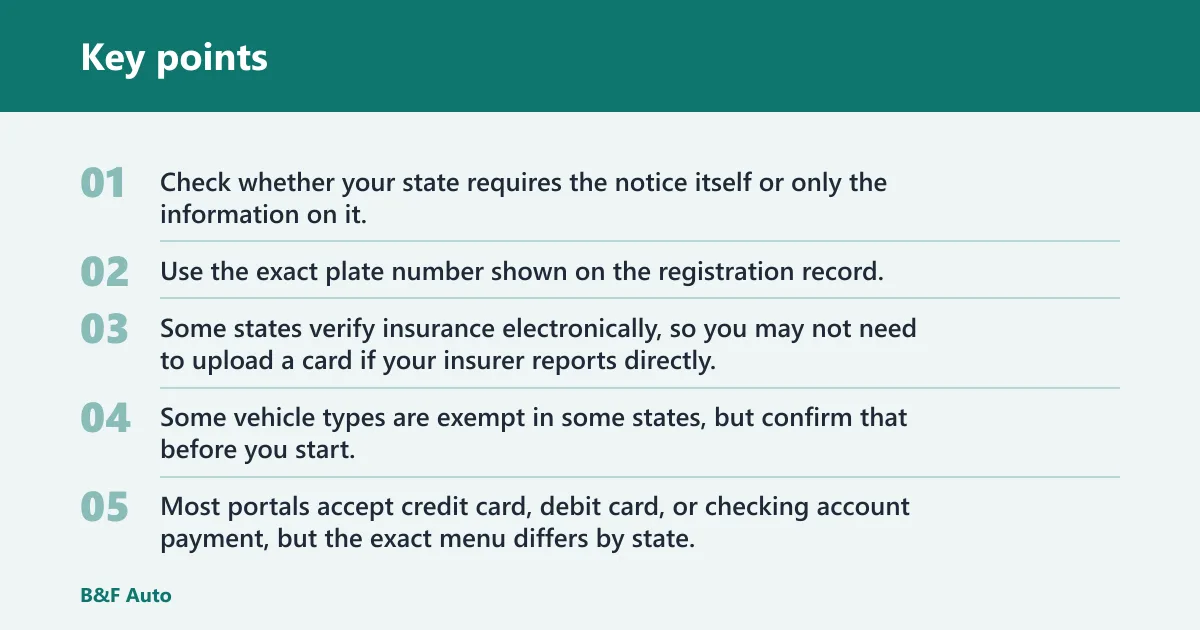
Check whether your state requires the notice itself or only the information on it. California allows online renewal as soon as the renewal notice is received, while other states may let you renew with just the plate and identity details. If the notice has not arrived, verify that your address on file is current and that the state will accept an email notice or a mailed notice for online use.
Plate, VIN, and ID details
Use the exact plate number shown on the registration record. California requires the last 5 digits of the VIN or HIN for online renewal, and Pennsylvania lists a plate number and title number among its required items. Have your driver’s license or state ID, date of birth, and current address ready in case the portal cross-checks identity details.
Insurance and emissions records
Some states verify insurance electronically, so you may not need to upload a card if your insurer reports directly. Pennsylvania lists insurance information as part of its renewal items, and California says electronic smog certification must be on file for online renewal. Some vehicle types are exempt in some states, but confirm that before you start.
Payment and receipt setup
Most portals accept credit card, debit card, or checking account payment, but the exact menu differs by state. The same source lists a credit card and printer among its renewal items, while some states offer a temporary receipt or printable confirmation after payment. If you rely on paper proof, make sure a printer is available before you start.
Registration online checklist
Use this table as a pre-flight check. If one item is missing, fix that item first rather than restart the whole renewal process.
| Requirement | Where to find it | What happens if it is missing | Fastest alternate path |
|---|---|---|---|
| Renewal notice | Mail, email, or your state account dashboard | The portal may not recognize your renewal window or may block entry | Check the state portal for record lookup, then use mail or an office if notice-based access is required |
| Plate number | Current registration card or license plate | The system cannot pull your vehicle record | Use the registration card or visit an office with your ID |
| VIN or title number | Title, registration record, or insurance documents | The portal may reject the lookup or fail identity matching | Check the title record or contact the state agency for a manual lookup |
| Insurance | Electronic insurer record or proof of insurance | Renewal may stop at verification or after payment review | Ask the insurer to update the state record, then retry online or go in person |
| Emissions/smog | State inspection record or electronic smog certification | The renewal can be blocked or later delayed after payment | Complete the inspection first, then return to the portal |
| Address update timing | State account profile or DMV record | The notice and renewal record may not match your current address | Update the address first; California advises changing it at least 3 days before renewal |
| Payment method | Debit card, credit card, or checking account | The portal cannot finish the transaction | Use another accepted method, kiosk, or office with cash if available |
| Printer or saved receipt | Home printer or device storage | You may lose immediate proof of renewal | Save the confirmation file and print later, or pick up a paper receipt if the state offers one |
How do you renew your registration online?
Go to your state’s official DMV or motor vehicle agency portal, enter the requested vehicle and identity information, clear any warnings, and pay with an accepted method. If the portal approves the transaction, save the confirmation immediately and check whether the state offers a temporary receipt, printable certificate, or later mailed proof.
-
Open the official portal.
Use the state DMV or agency site, not a third-party page. California recommends Chrome, Edge, Firefox, or Safari for online renewal, so use a current browser that the portal supports.
-
Enter your record details.
Type the plate number, VIN or title number, and any requested ID or date-of-birth fields exactly as they appear on the record. Small mismatches are a common reason the lookup fails.
-
Review blocker messages.
If the portal shows insurance, emissions, or address warnings, stop and fix those first. Paying before the record is clear can still leave the renewal incomplete.
-
Choose a payment method.
Use the portal’s accepted method, which may include credit card, debit card, or checking account. Keep the screen open until the payment fully processes and the confirmation number appears.
-
Save proof right away.
Download, print, or photograph the confirmation page if the state allows it. Some states send a printable receipt, while others mail the updated card or sticker later.
Say your address changed last week and the state record still shows the old apartment. In that case, the portal may accept your login but reject the renewal when the address does not match the file. Update the address first, then return after the state’s update window has passed.
Why might online renewal be blocked?
Most online blocks come from record mismatch, missing insurance or smog data, or unpaid obligations tied to the vehicle. The fastest fix is to identify the exact blocker, clear it in the shortest available channel, and only then restart the online renewal. If the state allows no workaround, use mail, kiosk, or an office visit.
Address changes and record mismatches
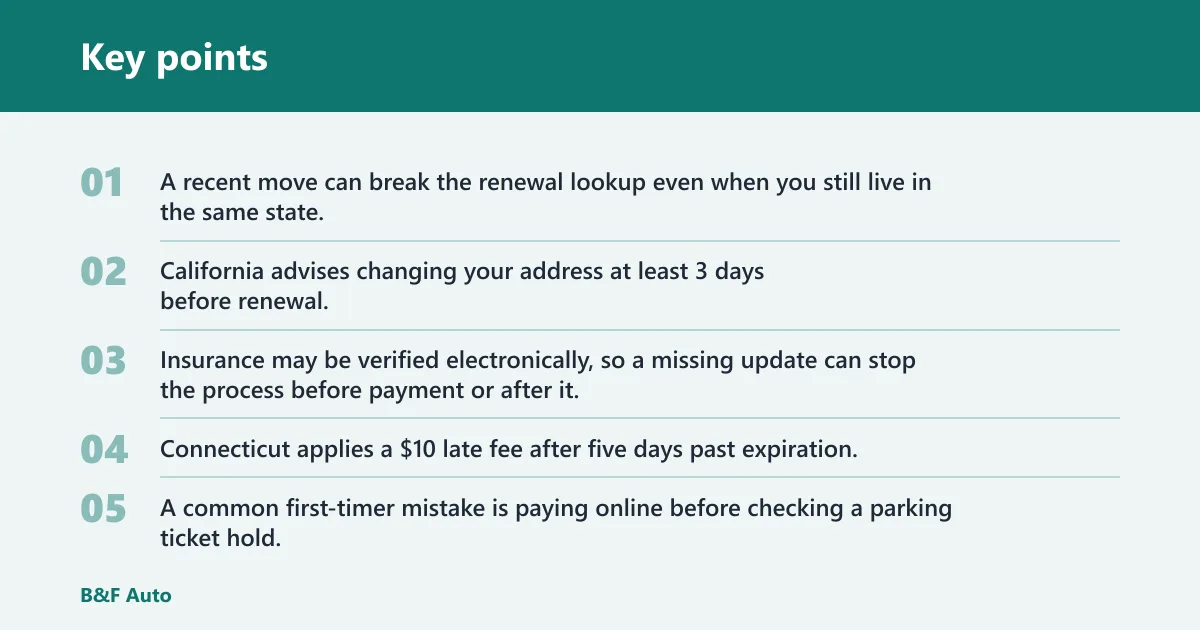
A recent move can break the renewal lookup even when you still live in the same state. California advises changing your address at least 3 days before renewal. If the notice went to the old address or the portal shows a mismatch, update the record first, then retry once the change posts. (CA)
Insurance or smog issues
Insurance may be verified electronically, so a missing update can stop the process before payment or after it. The same source says electronic smog certification must be on file for online renewal, and some states require a separate state inspection record. If payment goes through but the inspection record is missing, expect the renewal to remain pending until the state receives the match.
Tickets, taxes, late fees, and expired status
Parking citations, property tax holds, late fees, and expired-registration limits can block renewal even when the vehicle itself is otherwise eligible. Connecticut applies a $10 late fee after five days past expiration. Some states also stop online renewal once the registration has been expired too long, which pushes you toward an office or another manual channel. (CT)
A common first-timer mistake is paying online before checking a parking ticket hold. The payment may still process, but the state can delay the final renewal until the hold is released, so the better order is to clear the hold first and pay only after the record is open.
What happens after you pay?
After payment, the state may issue a temporary receipt, a printable confirmation, or a digital proof page. The updated registration card or sticker may arrive later by mail, and some states no longer mail a new card at all. Keep the proof with you until the permanent record arrives or the state record updates.
Temporary proof and printable documents
If the portal offers a printable registration certificate or receipt, save it immediately. The same source says online renewals no longer receive a mailed registration card, so the confirmation you save matters more than a paper card in the mail. If your state offers no printable proof, store the confirmation number and any email receipt.
Mailing timeline for the new card or sticker
States differ on whether they mail a new card, a sticker, both, or neither. Some systems update the record electronically first, then mail a physical item later. If the portal says the transaction is complete but the sticker has not arrived by the state’s normal mailing window, contact the agency with your confirmation number.
What to keep in your vehicle right away
Keep the temporary receipt or confirmation in the vehicle if the state allows it. If your state issues only digital proof, save a copy on your phone and another in email or cloud storage. That way you have proof during the gap between payment and final delivery.
What if online renewal fails?
Move to the next fastest path that fits the problem. If the issue is a missing record, fix the record first. If the issue is a blocked vehicle class, use mail or an office. If the portal fails late in the process, keep the confirmation number and contact the state agency before paying again.
Fastest alternate path by problem type
- Address mismatch: update the address first, then retry the portal after the state posts the change.
- Insurance missing: confirm the insurer has reported the policy to the state, then wait for the record to refresh or visit an office if timing matters.
- Smog missing: complete the inspection and verify the electronic record is on file before trying again.
- Tickets or holds: clear the hold, then restart the renewal.
- Expired too long: use mail or an office if the portal no longer accepts the record.
When to use mail, kiosk, or office service
Use mail when the state accepts it and you have time for processing. Use a kiosk when the issue is simple but the online portal will not accept your payment. Use an office when a person needs to review insurance, smog, title, or identity records. The same source says renewal can be completed online, through messenger services, or by mail, which gives blocked drivers several backup choices.
When to contact the state agency
Contact the agency if the payment succeeded but the record still looks incomplete after the posted processing time, if the portal repeats a mismatch that should have cleared, or if you cannot tell whether the state accepted your renewal. Keep your plate number, confirmation number, and receipt handy when you call or visit.
Frequently asked questions
What do I need to renew my registration online?
At minimum, expect to enter your plate number and a payment method, and many states also ask for VIN or title number, ID details, date of birth, address, insurance information, and sometimes a renewal notice. The same source lists items such as a plate number, title number, insurance information, odometer reading, a credit card, and access to a printer as part of its online renewal requirements.
Can I renew my registration online if I changed my address?
Sometimes, but a recent move can block the transaction until the state record updates. California advises changing your address at least 3 days before renewal. If the portal uses the old address or the notice went to the wrong place, update the record first and then try again.
How long does online registration renewal take?
If your record is clear and your information is ready, it can be quick. Connecticut estimates online renewal takes 3-5 minutes. Delays come from insurance mismatches, smog records, or holds, not from the form itself.
Can I renew online after my registration expires?
Sometimes, but the window varies by state and vehicle type. Connecticut applies a $10 late fee after five days past expiration, and some states limit online renewal once the registration has been expired too long. If the portal rejects the renewal, use mail or an office instead of repeating the same submission.
Do I need a printer to renew my registration online?
Not always, but it helps. The same source lists a printer among its online renewal items, while other states may offer digital proof or a temporary receipt instead. If you do not have a printer, save the confirmation file and check whether your state accepts electronic proof in the vehicle.
What happens after I pay online?
After payment, look for a confirmation page, receipt, or temporary proof and save it right away. Depending on the state, the updated card or sticker may arrive later by mail, or the state may keep proof digital. If the portal says the transaction is pending, keep the confirmation number and watch for state updates.