How to Get Your Car Registration Papers Online
If your state DMV or transport authority offers online access, open the official portal, sign in if needed, and check whether it lets you view, print, or request a replacement for your registration. If the portal does not match your records, use the plate or VIN lookup path instead. Using the wrong site can waste time, add fees, or lead to a rejected request. This guide covers login access, plate-only access, and records that need correction before you can proceed.
Which online path should you use?
Start with the path that fits the documents you already have. Your choice depends on whether you can sign in, only know the plate, have lost the certificate, or need to fix the record first. If the portal cannot verify you, the local office may be the only option. Use only your jurisdiction’s official portal because the exact flow, labels, and eligibility rules vary by authority. In the US, start with your state DMV or motor vehicle agency. In NSW, use Service NSW. In the EU, use the competent national authority in the country where the vehicle is registered. In the Czech Republic, use the national vehicle-registration authority for registration papers rather than a toll or vignette site.
| Access situation | Required identifiers | Likely portal action | Common blocker |
|---|---|---|---|
| Login available | Account login, owner identity document, plate or vehicle number | View registration details, download a copy, or start a replacement request | Identity check fails or account is not linked to the vehicle |
| Plate only lookup | Vehicle registration number or plate | Search the official record and open the vehicle file | Plate format does not match the portal or the record is hidden |
| Lost certificate | Plate, VIN, chassis number, frame number, and owner ID | Request a replacement if the authority issues duplicates online | The portal only shows data, not a true duplicate |
| Data mismatch | Identity document plus supporting vehicle details | Submit a correction or contact the registration office | Name, address, fuel type, body type, or vehicle class does not match |
| Moved jurisdiction | New local address, proof of normal residence, registration details | Check whether re-registration is required in the new place | Permanent move triggers a new registration rule |
| No online service available | Owner ID, plate, and local forms for the office | Use the authority’s offline replacement route | The authority does not issue the document through the portal |
Login available: view or download from the official portal
If you can log in, start with the official registration authority portal or app. That portal may be called a DMV account, motor vehicle register, transport portal, or e-service page depending on the country, state, or province. The portal may let you view the digital registration record, print a copy, or request a replacement certificate. For Australia, for example, NSW drivers must use the official Service NSW or transport portal because the exact service path differs from other jurisdictions. See the official NSW registration services pages for current options and requirements.
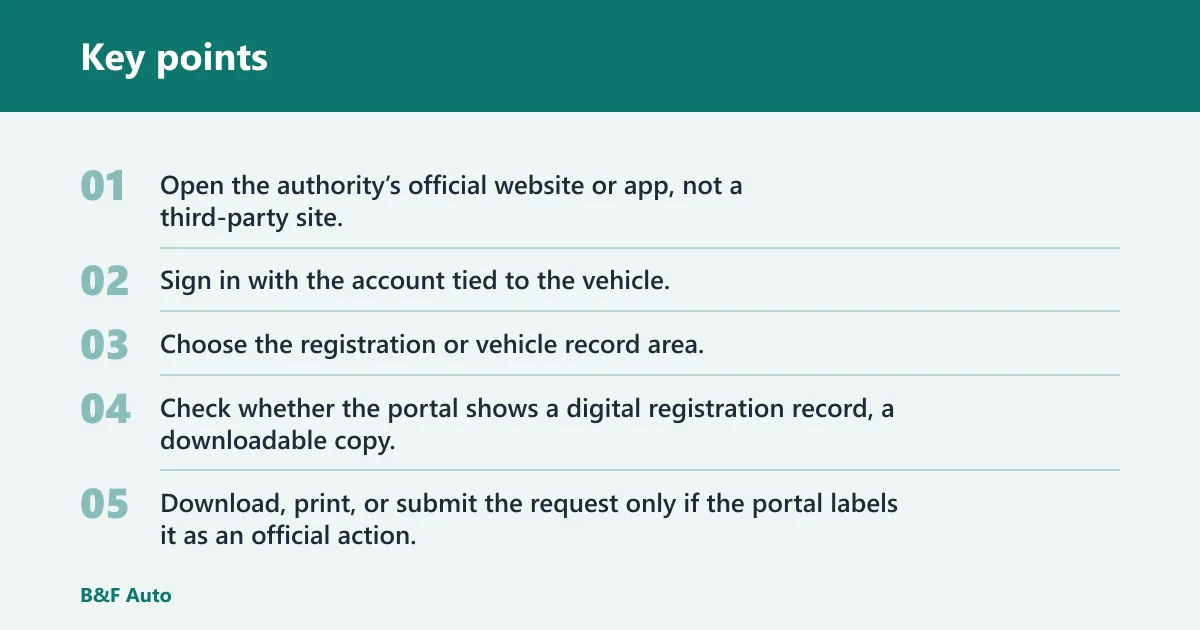
- Open the authority’s official website or app, not a third-party site.
- Sign in with the account tied to the vehicle.
- Choose the registration or vehicle record area.
- Check whether the portal shows a digital registration record, a downloadable copy, or a replacement request.
- Download, print, or submit the request only if the portal labels it as an official action.
What you get online depends on the authority. Some portals show registration facts only. Others provide a PDF or printable certificate. Some portals let you order a duplicate and mail it to you. If the portal only displays data, that is not the same thing as a physical paper copy.
Plate only: search by registration number, VIN, or frame number
If you do not have an account, the vehicle registration number or plate is the first lookup key to try. Many authorities also accept the VIN, chassis number, or frame number if the plate search fails or if the record is incomplete. Enter the details exactly as shown on the vehicle or old paperwork.
Check spacing, hyphens, and local letter or number formats. Small typing errors can return a blank result. If the portal asks for a second identifier, use the one that matches the official record, not the one printed on a dealer sticker or insurance note.
Lost certificate: request a replacement if the portal allows it
When the paper certificate is lost or damaged, some authorities let you request a replacement online. Others let you view the record but still require an office visit for a true duplicate. The portal should say whether it issues a replacement certificate, a downloadable copy, or only a digital record. Official replacement workflows are often jurisdiction-specific, so confirm the exact process on your local transport or DMV website before submitting anything. In the EU, vehicle registration rules and office responsibilities can differ by country, and the official EU guidance directs drivers to the competent national authority. EU vehicle registration guidance
Common portal labels include “replace registration certificate,” “duplicate registration,” “reissue document,” or “order registration copy.” Fees, turnaround time, and delivery method depend on the authority. One portal may mail the document. Another may let you print a temporary proof while the replacement is processed.
Record mismatch: fix identity or vehicle-data errors first
If the name, address, body type, fuel type, or vehicle class does not match, fix the record before you try to download papers. A mismatch can block the portal or reject the request. The correct move is to use the authority’s correction path or contact the registration office named by the portal.
Say your plate is correct but the portal shows the wrong body type. That usually means the record needs correction, not a new lookup. Submit the correction through the authority’s process, then return to the portal after the record is updated. If you need to need correction, use the official correction channel first rather than repeatedly resubmitting the same online request.
Moved jurisdiction: check whether re-registration is required
A move across borders or into a new state can change which office controls the registration. In the EU, rules differ by country and situation. A person moving permanently to another EU country should register the car there. Temporary movers do not have to register the car in the new EU country, and the rules can differ by how long you stay. Official EU guidance also makes clear that the competent authority in the new country, not the old one, becomes the place to check once the move is permanent. EU registration abroad rules
Authorities may ask for the car registration certificate when checking residence status, and proof of normal residence may be needed. The EU page defines normal residence as more than 185 days a year. Vehicle registration taxes may apply in the new country. If the vehicle changed ownership or permanent location, online access may point to the wrong office until you re-register.
Picture a driver who moves for a six-month work assignment and keeps the car at the home country address. That is different from a permanent relocation. The portal or local authority may treat those cases differently, so check the registration rule for the place where the vehicle is normally kept.
No online service: use the authority’s offline replacement route
If the portal does not offer replacement, do not keep retrying the same screen. Use the authority’s office, mail, or local service route shown on the official site. Some systems will let you begin online and finish in person. Others require a paper form from the start.
When a vehicle was bought used, imported, or moved from another jurisdiction, the online system may not be able to issue the document until the record is corrected or transferred. That is especially common when the ownership record and the current residence record do not match.
What your registration papers prove
The vehicle registration certificate is the official proof that the vehicle is registered and tied to the owner in that authority’s system. The name changes by jurisdiction, so you may see rego papers, registration document, vehicle registration certificate, or a similar local label. A digital registration record may show the facts, but it is not always the same as a physical paper copy. The official certificate is the document most jurisdictions use to show the vehicle is registered, the recorded keeper or owner, and the vehicle identity details that the authority has on file.
Why the name on the record must match the owner
The registration record links the vehicle to the person or entity allowed to keep it on the road. If the owner name does not match, the portal may block access or the office may ask for identity proof before it issues papers. That is why an owner identity document matters; in some places, it can be an ID card or a national identity number such as a CNIC.
Digital record versus physical certificate
A digital registration record is useful when you need to confirm the vehicle is on file, but it may not satisfy every roadside, sales, or insurance request. Some authorities provide a printable copy. Others only let you see the record and order a separate certificate. Treat those as different outcomes.
Common situations where you may need the document
You may need the registration document for police checks, sale or transfer work, insurance questions, toll or tax checks, or border-related residence checks. If the vehicle changed ownership or location, the office may require a re-registration or a different local file before it will issue the papers online.
Where to get them online
Use only the official registration authority portal or app. The right site is usually the one run by the transport authority, motor vehicle register, DMV, or equivalent office. Portal names vary by country, state, or province, but the task is the same: look up the registered vehicle and confirm who it is tied to. Because portal designs vary, readers should use the local official service rather than assuming a foreign workflow will transfer unchanged.
What identifiers the portal may ask
The portal may ask for the plate number, vehicle registration number, VIN, chassis number, frame number, or a linked account. Some systems also require identity verification with a local document before they show the record. If you are logging in for the first time, the portal may ask you to link the vehicle to your account first.
When you need identity verification
When the portal handles personal registration data, it may need more than the plate. That can include a national ID, a local login, an address match, or a one-time code. If you are cross-border or residency-sensitive, the authority may also ask for proof of normal residence or a local identity document.
Can you view rego papers online?
Yes, in some places you can view rego papers online, but the result may be a digital record rather than a true printable certificate. If the portal allows download, you may be able to save or print a copy. If it does not, you may still be able to see the record and then request the physical document through the same authority. Whether the copy is printable, downloadable, or view-only depends on the local transport or DMV system.
What a digital registration record usually shows
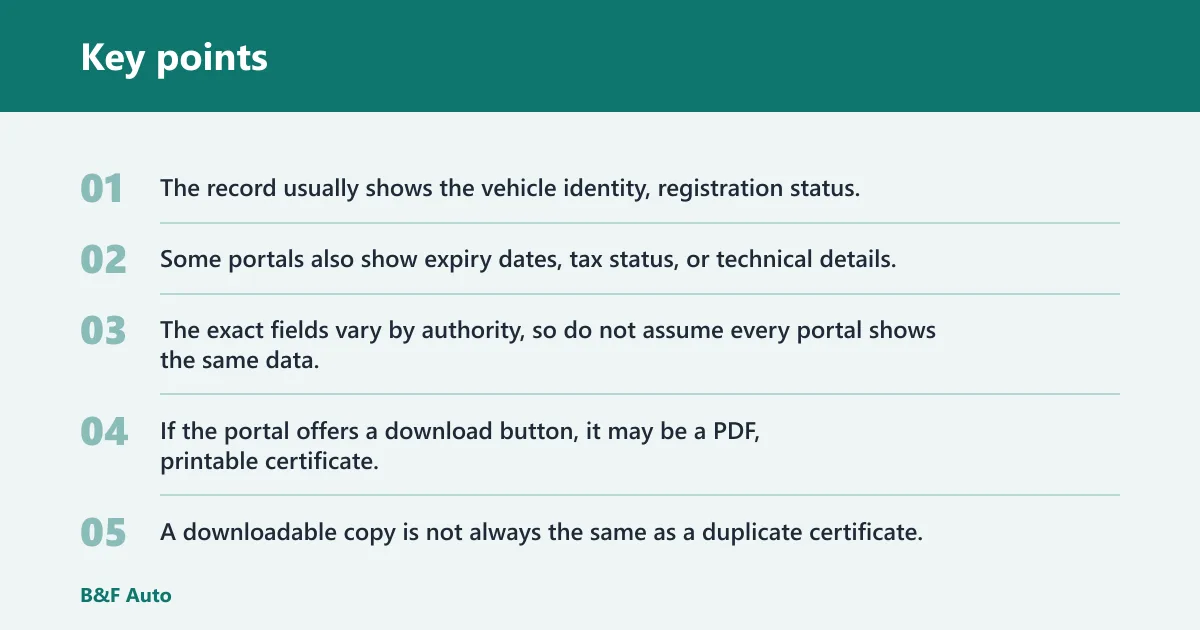
The record usually shows the vehicle identity, registration status, and the owner or keeper details recorded by that system. Some portals also show expiry dates, tax status, or technical details. The exact fields vary by authority, so do not assume every portal shows the same data.
When the portal lets you download a copy
If the portal offers a download button, it may be a PDF, printable certificate, or temporary proof. Check the label carefully. A downloadable copy is not always the same as a duplicate certificate. Some authorities still reserve the true replacement for a mailed document or office-issued paper.
When the portal only shows data, not a printable certificate
If the screen only shows registration facts, use it as confirmation only. You may still need to contact the authority for a copy of vehicle registration certificate online, or use the local office if online replacement is not allowed. Fees and turnaround time depend on the authority’s own rules.
What to do if the download option is missing
Look for a replacement, duplicate, or reissue menu item before you give up. If none exists, the authority may require an in-person request. Do not use a third-party printout as a substitute unless the official portal says it is accepted.
How to search with plate or VIN
Use the vehicle registration number or plate first. If that does not work, try the VIN, chassis number, or frame number. That order matters because many portals are built around the plate as the main lookup key. If the record is partial, the secondary number may find it faster.
Check spelling, spacing, and local formats
Typed plate searches fail more often than people expect. A missing dash, an extra letter, or the wrong capitalization can stop the match. Use the format shown on the vehicle record, not the format used by an insurer or dealer system.
What to do when the record comes back incomplete
If the portal finds the vehicle but leaves out document options, the record may need correction. In the Czech system, registration data can be corrected electronically, and incorrect or incomplete register data should be corrected at an office. The correction is free of charge.
That kind of rule is local, not universal. Some authorities allow full online correction. Others only accept the correction request online and finish it at the office. If the portal offers a refund request, the Czech page says it can be sent by databox, email, or paper. Official correction and refund steps should always be confirmed on the authority’s own site before you submit a request. eDalnice official site
What if your record is wrong or inaccessible?
Start by identifying the failure. A wrong owner name, missing vehicle data, locked account, or no search result each needs a different fix. If the portal cannot verify the record, the online route may stop there until the authority updates the file. The right response is usually correction, identity verification, or jurisdiction check rather than repeated retry attempts.
Owner name does not match
If the name on the record does not match the owner, the portal may deny access or show a record that cannot be edited online. Contact the registration authority with proof of identity and ownership documents. Do not try to force a replacement before the identity issue is fixed.
Vehicle details are incorrect
Wrong fuel type, body type, or model details can block the certificate request. Use the correction path first. The Czech system says incorrect or incomplete register data should be corrected at an office, even though some registration data can be corrected electronically.
The portal cannot find the vehicle
If the vehicle does not appear, check whether the plate was entered correctly and whether the car belongs to a different jurisdiction. A vehicle that moved across borders, changed owners, or was re-registered may appear under a different office. If that is the case, the current portal may not be the right one.
The account is locked or identity checks fail
If you cannot sign in, reset the account through the official portal or contact the authority that runs it. Linked-account systems often rely on the owner identity document, a verified address, or an activation step. Until that is fixed, the online certificate path may stay closed.
How do changes in residence affect access?
Residence changes can change which authority owns the record and whether online access still works. In cross-border systems, permanent residence may trigger new registration duties, while temporary residence may not. If the vehicle is kept in a new place for a long period, the portal in the old jurisdiction may no longer be the right place to request papers. The official rules for residence and vehicle registration should be checked on the local authority’s site because flows differ by country and sometimes by region.
Permanent versus temporary residence status
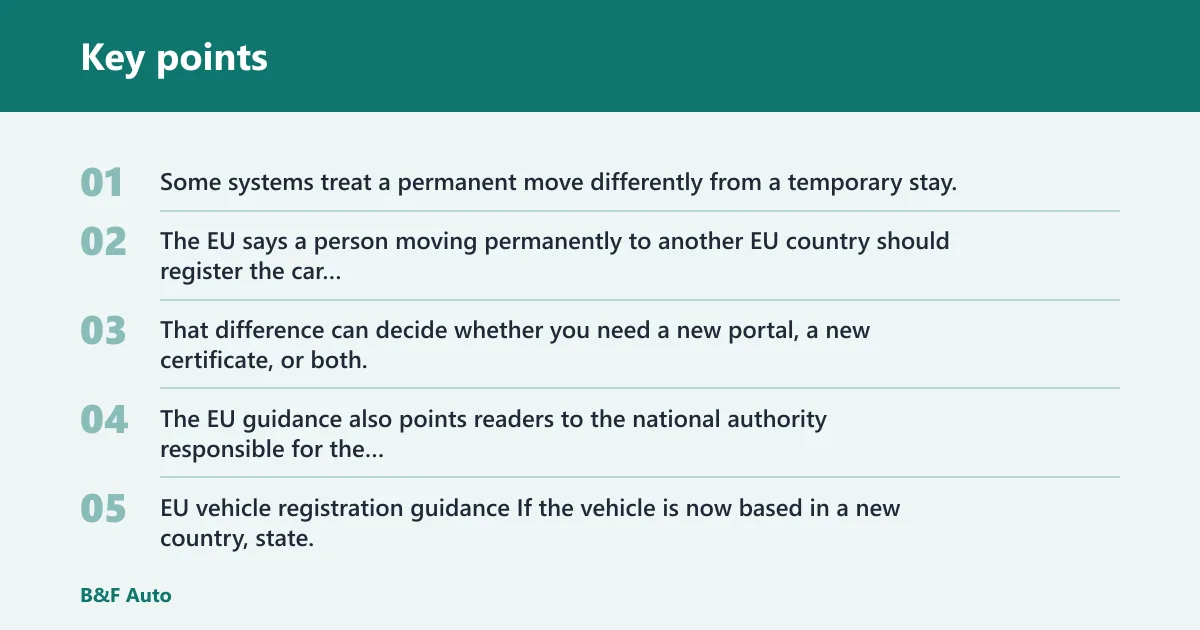
Some systems treat a permanent move differently from a temporary stay. The EU says a person moving permanently to another EU country should register the car there, while temporary movers do not have to register it in the new country. That difference can decide whether you need a new portal, a new certificate, or both. The EU guidance also points readers to the national authority responsible for the registration decision. EU vehicle registration guidance
When a move can trigger re-registration
If the vehicle is now based in a new country, state, or province, re-registration may be required before a replacement certificate can be issued there. Authorities may also ask for the car registration certificate during residence checks. If you are not sure which office now controls the record, use the official transport authority for the place where the car is normally kept.
Cross-border driving and proof of normal residence
Some authorities ask for proof of normal residence, and the EU page says normal residence means more than 185 days a year. That matters when a vehicle is registered in one place but used in another. Vehicle registration taxes may also apply in the new country, so the online route may shift from document retrieval to full re-registration.
Don’t treat a foreign plate as a free pass to use the old portal forever. If the local rule says the car belongs in the new jurisdiction, the old record may stop being the correct source for replacement papers.
Frequently asked questions
These short answers cover the most common online registration-paper questions. In every case, the best first step is the official transport or DMV portal for your location, because online services, downloadable copies, and duplicate-document rules vary by jurisdiction.
How can I get a copy of my registration papers?
Use the portal’s duplicate, reissue, or replacement menu if it exists. If the portal only shows the record, you may need to contact the authority for an official copy. Have the plate, VIN, or linked account ready, and keep your identity document nearby if the portal asks for verification.
Can I get my rego papers online?
Often yes, but only where the local authority supports online access. In some systems you can view the record only. In others you can download or request a replacement. If the portal does not offer that option, you will need the office or mail route named by the authority.
Can I view my rego papers online?
Many authorities let you view the registration record online after login or plate lookup. That may show the vehicle’s registered status, but it may not be a printable certificate. If you need a document for police, sale, or insurance, check whether the portal also offers a download or duplicate request.
How do I get my car registration certificate online in NSW?
Use the official New South Wales transport service portal and follow its registration lookup or replacement path. Check whether the site offers view, download, or reissue options, because those are not always the same. If the portal cannot match your details, verify the plate, linked account, and identity information first. NSW online flows can differ from other Australian states, so use the official NSW service pages rather than assuming another jurisdiction’s steps will apply.